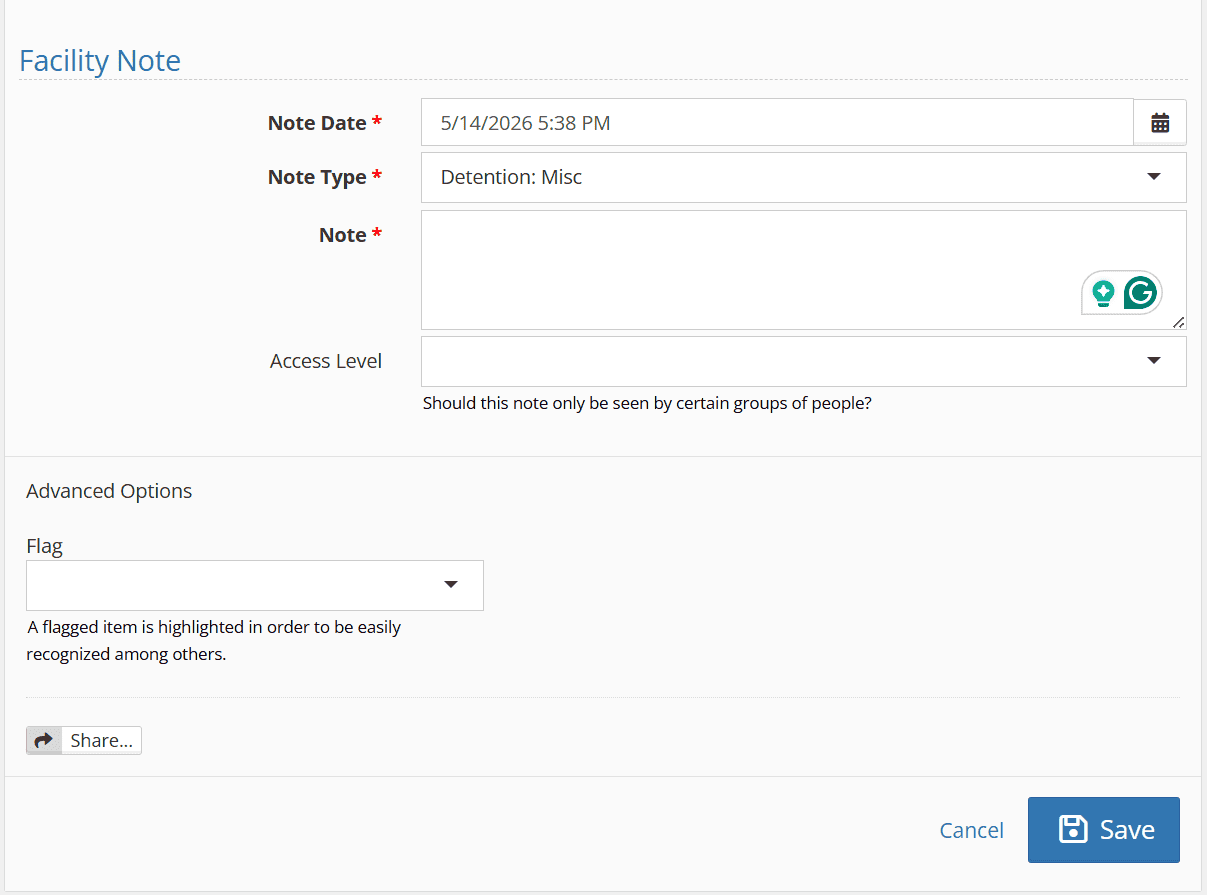
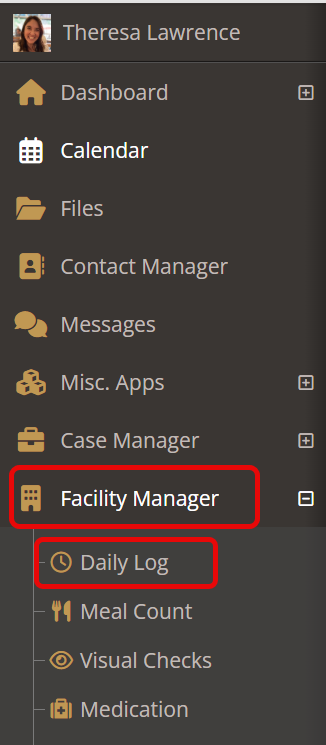
Found within the Daily Log, Facility Notes allow team members to communicate information that occurs in the facility but does not directly correlate to a particular youth.
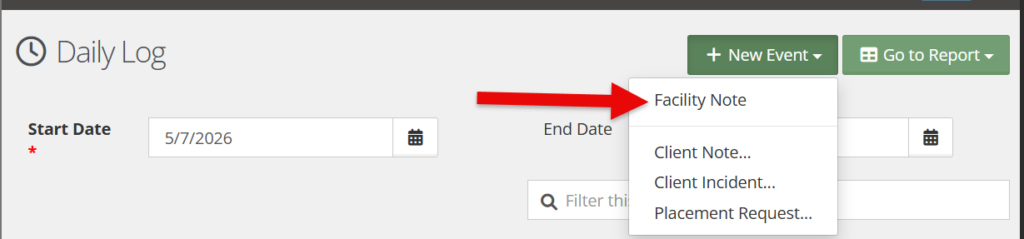
To create a facility note, click the “new event” bar and select “facility note.”
A Facility Note will have the following fields:
- Note Date: Shares both the date and time of the note. This can be back-dated as needed.
- Note Type: A modifiable drop-down that shares facility-based events that could be reported upon (e.g. key exchanges, fire drill, mail deliveries etc.)
- Note: A free text area to share any necessary details.
- Access Levels: A mechanism for controlling note visibility, with the option to limit access to designated groups as appropriate. For more information on access levels, see the resource here.
Advanced options will include:
- Flag: Allows changing the note’s background color for quick visibility as needed. For more information on flags, see the documentation here.
- Share: An option that allows the direct sharing of the facility note with particular user groups. For more information on sharing, see the documentation here.