The daily log is a helpful feature for facility or detention-based YouthCenter groups. This menu item allows a user to see a brief overview of all actions or selected actions that occurred over a period of time.
Accessing the Daily Log #
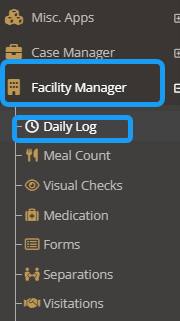
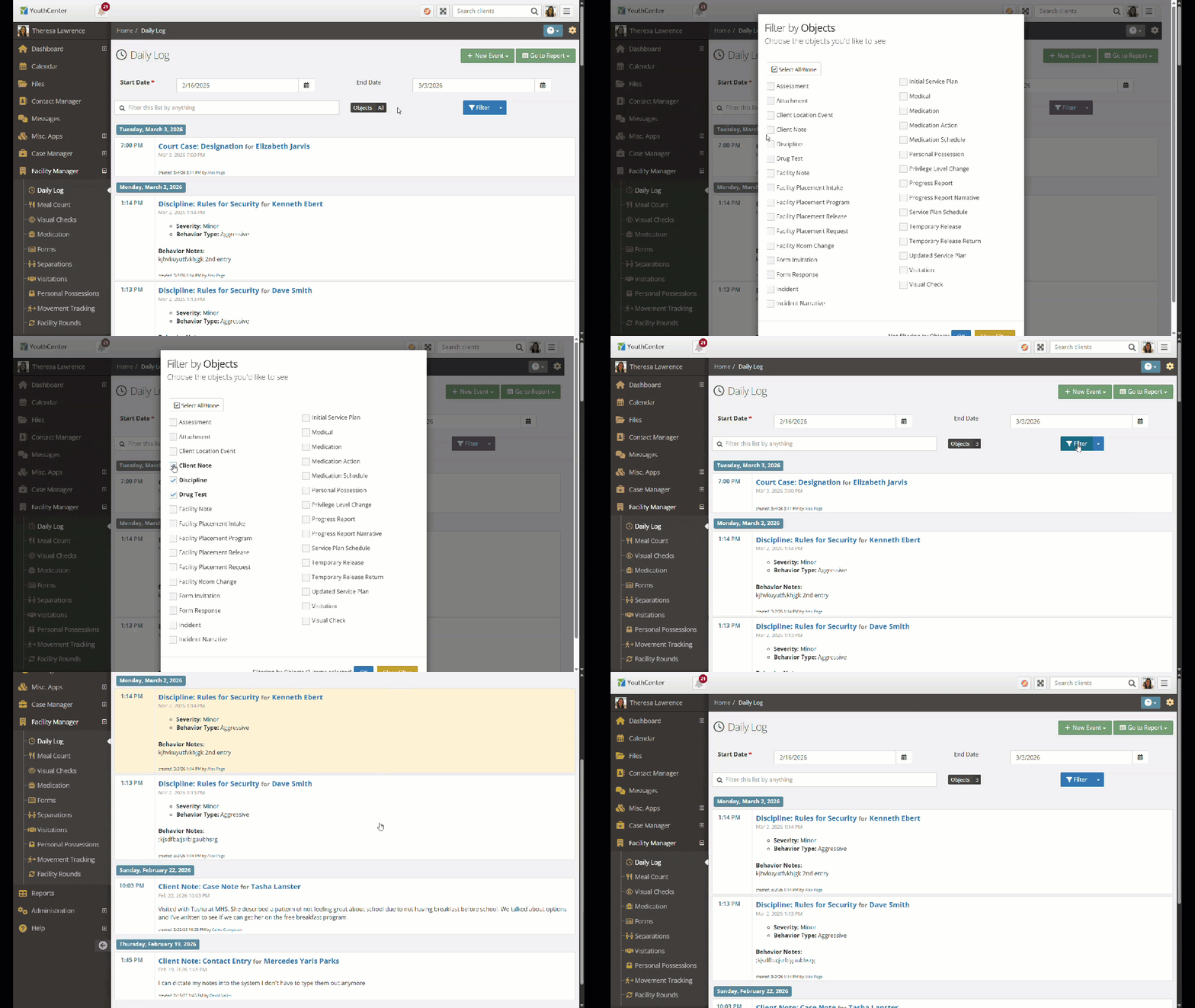
To access this feature, select the “Facility Manager” menu item followed by “Daily Log.”
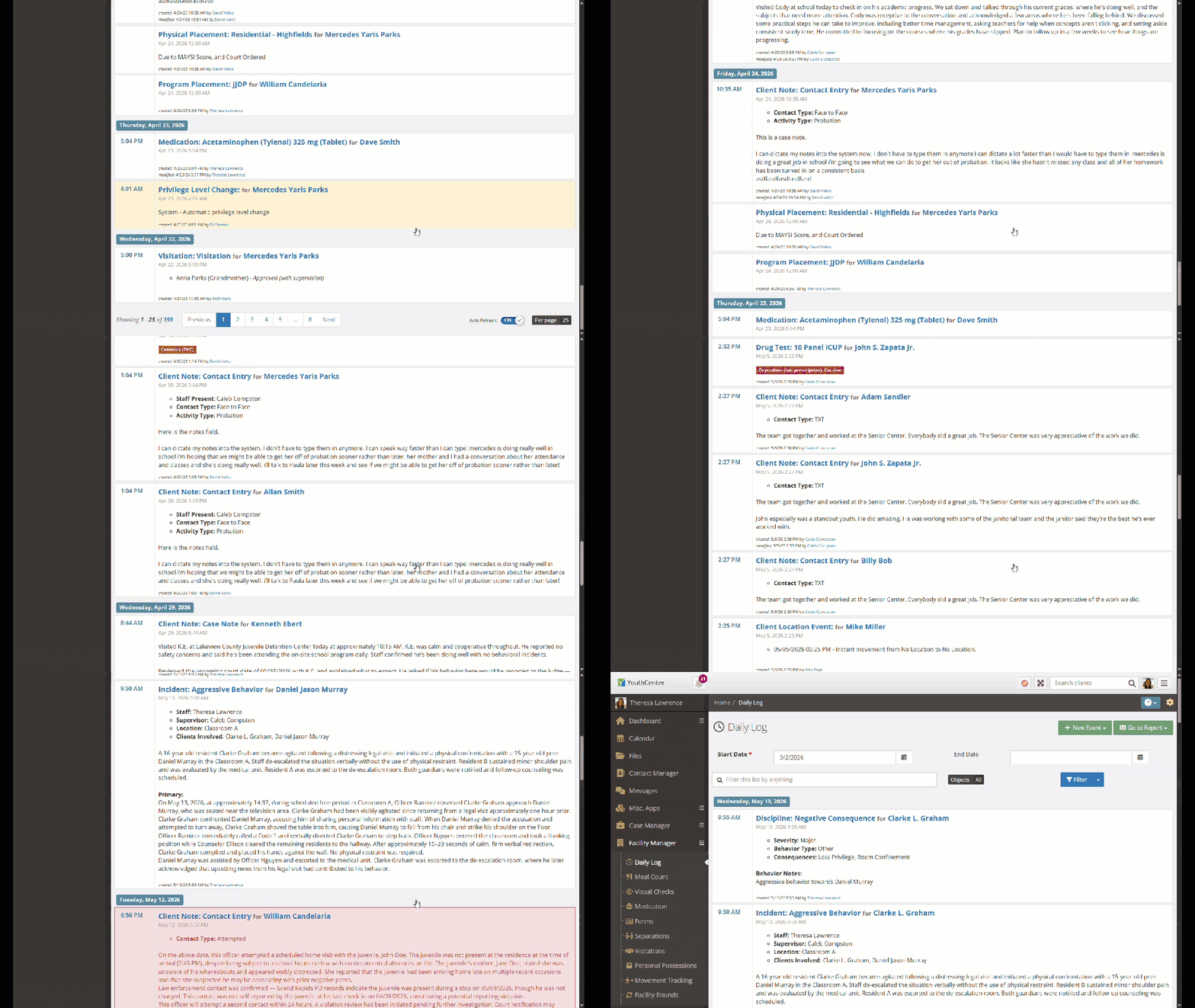
Scroll through the events/actions that have occurred in this selected time frame.
Filtering the Daily Log #
Use the Daily Log filter to display a specific date range and relevant information.
There are two main filters available:
- Date Filters
- Object filters
These filters can be used together.
Date #
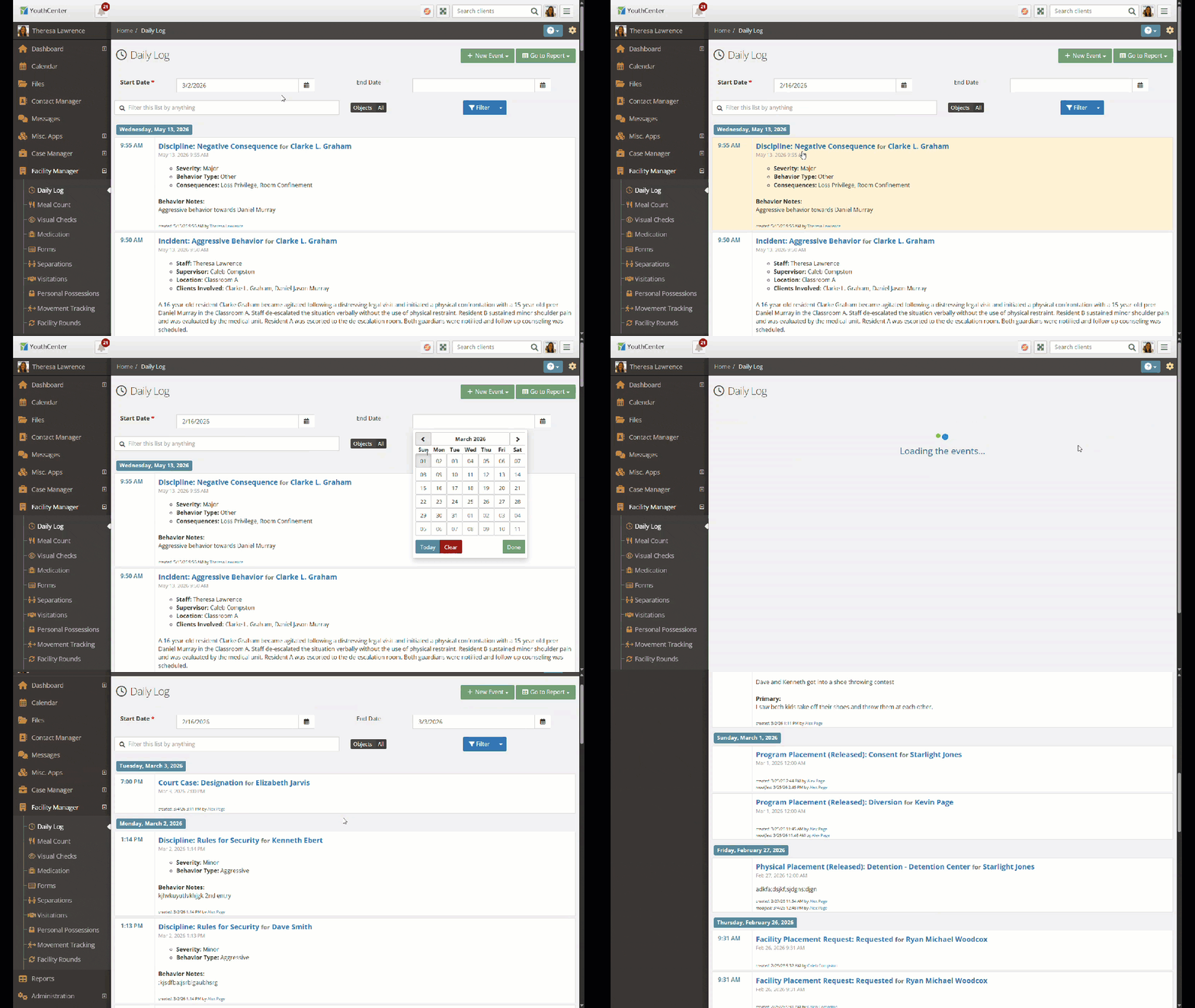
At the top of the Daily Log, select or type the date you would like to view. Add an end date as needed.
*Note: Only a start date is required.
Object Type #
To filter by a specific object (such as discipline, incident, note, etc.), select the “objects” tab.
Choose from the list of filters and select “ok.”
Widget #
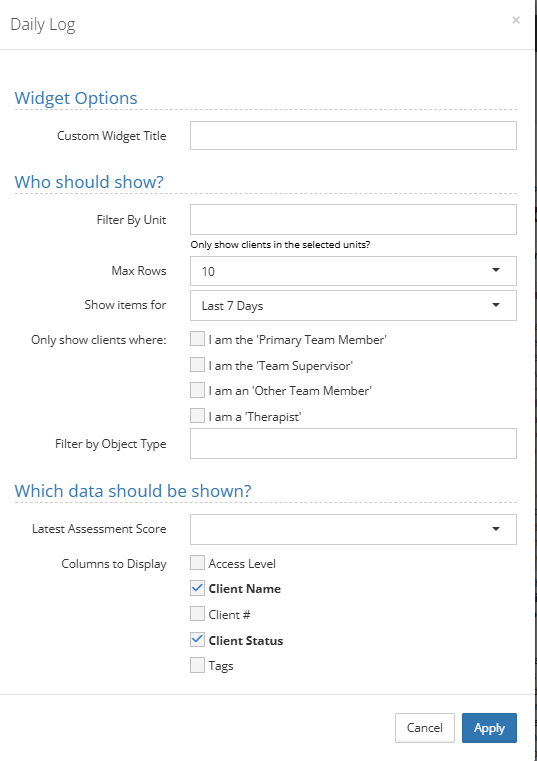
On Dashboards, there is a widget titled “daily log” that can help users see components of the daily log along with additional information.
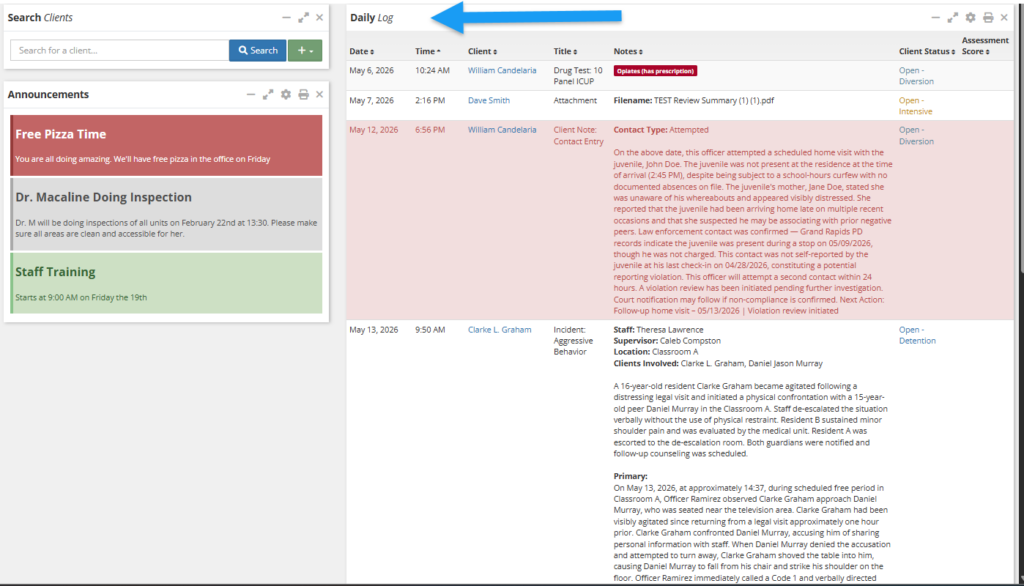
To update the widget filtering and additional data that can be shown, select the gear icon.

Below are the possibilities for the widget: