
The Dashboard Manager was designed to assist in managing the dashboards of your users, providing a way to push dashboards to your users.
Along with offering control over dashboards, the Dashboard Manager allows you to create multiple dashboards with different widgets to display various views of data that matter most to you and your team.
Creating a New Dashboard #
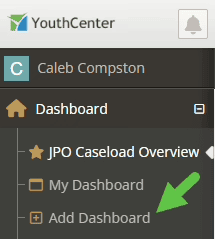
To create a new dashboard, simply select “Add Dashboard” in the menu.
Next, name your dashboard and press “Save.”
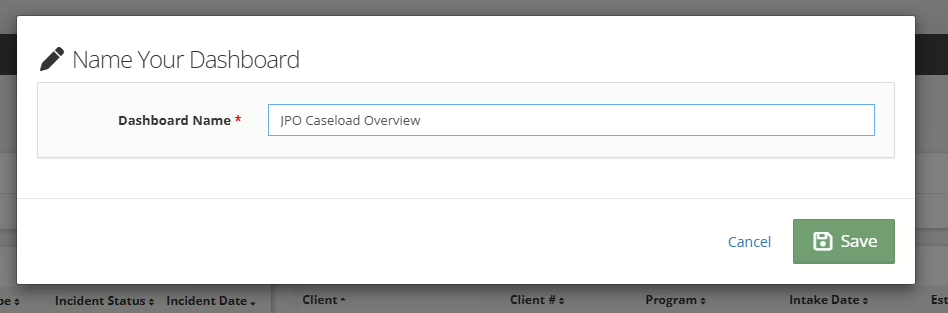
Your new dashboard will appear in the dashboard list on the left.
Sharing a Dashboard #
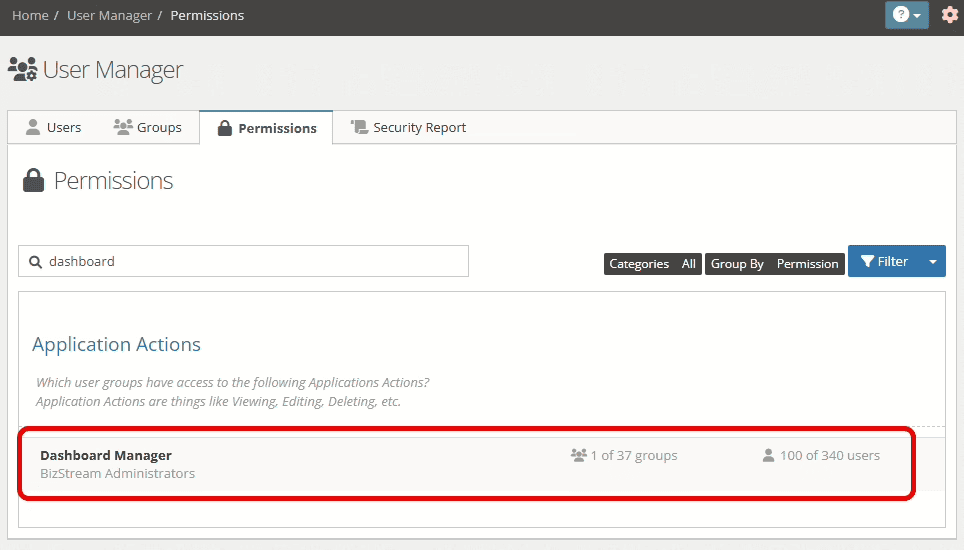
To share a dashboard, you must have the “Dashboard Manager” permission assigned to your user group in Permissions.
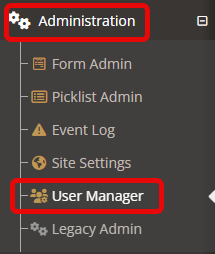
Set this by going to the “Administration” tab and selecting “User Manager.”
Select the “Permissions” tab. Using the search bar, find and select “Dashboard Manager.”
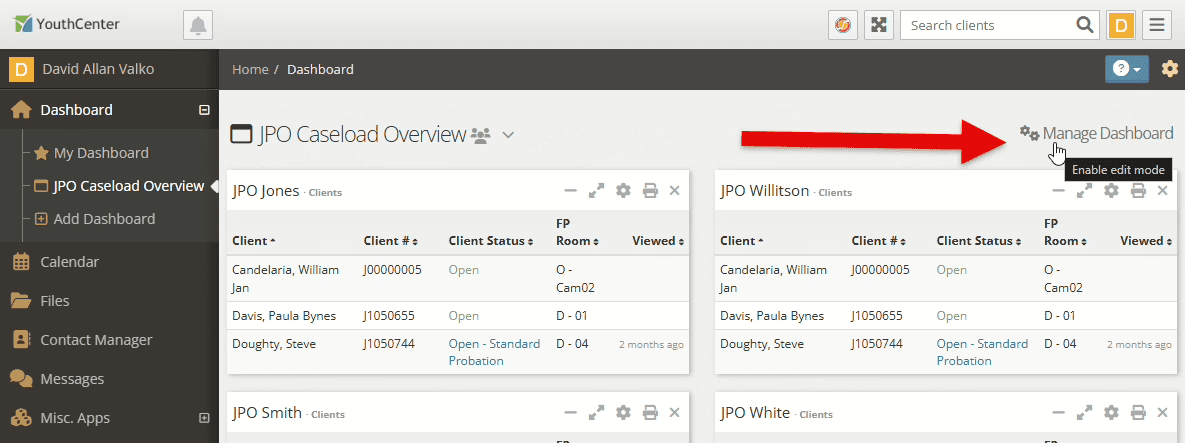
After setting the permission, select “Manage Dashboard” on the dashboard you want to share.
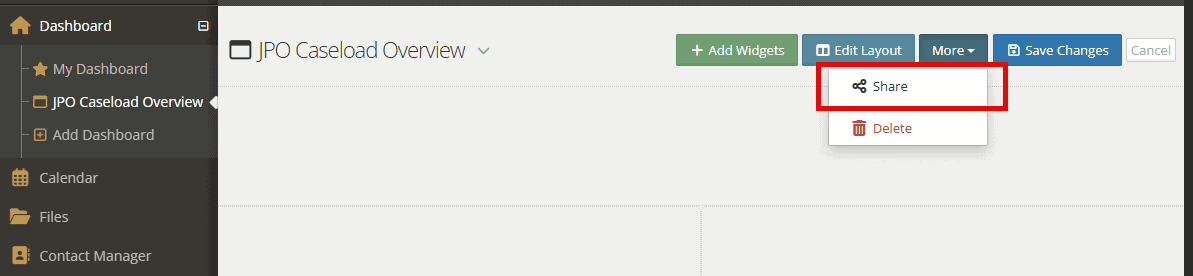
Then, select “More” and “Share”
You can then select which user groups you want to share the dashboard with:
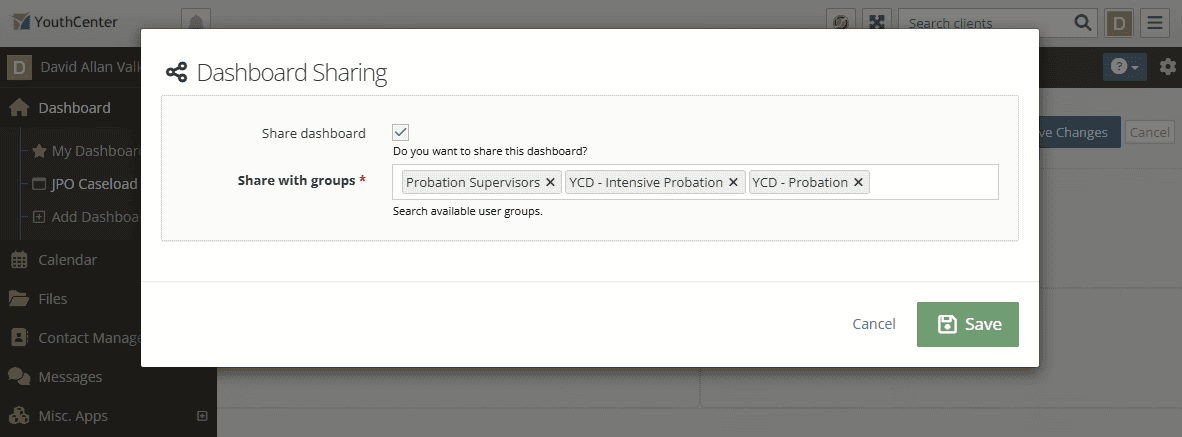
Press “Save.”
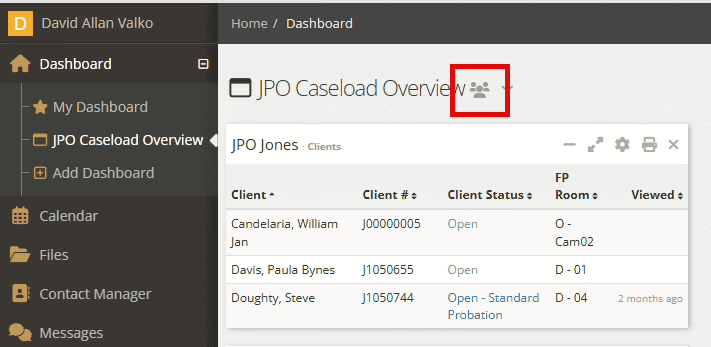
The next time a user logs in or changes pages, the new shared dashboard will appear. You can easily identify if a dashboard is shared by the group icon after the name:
What can a user do with a shared dashboard?
Shared dashboards can ONLY be edited by the user who created them or other users with the Dashboard Manager permission.
If a user wants to customize the dashboard, they will need to duplicate it to make it their own (See below).
Duplicating a Dashboard #
If you want to make a shared dashboard your own, or maybe just want to have a slightly different version of your current dashboard, you can duplicate a dashboard.
To duplicate a dashboard, use the dropdown next to the dashboard name and select “duplicate dashboard.”
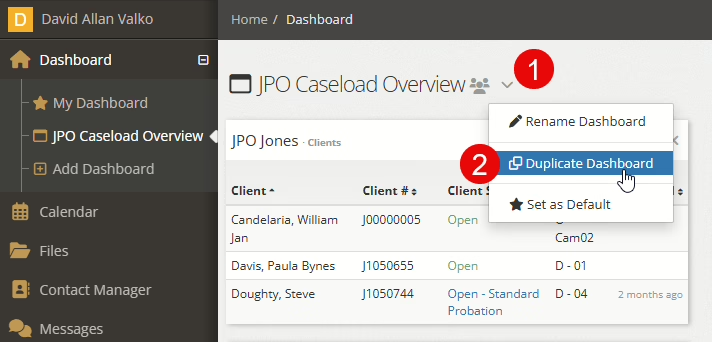
Once a dashboard is duplicated, the original dashboard can be deleted without loss of the duplicated dashboard.
Setting a Default Dashboard #
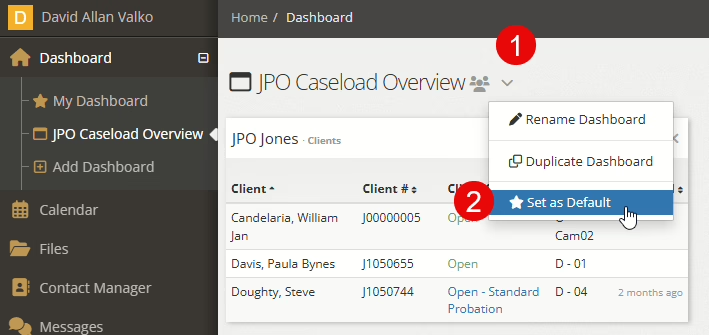
Have a favorite dashboard you want to show up when you log in to YouthCenter? Simply select the “Set As Default” button next to the dashboard name!
Making a Shared Dashboard the Default. #
From your list of dashboards, choose the dashboard title you would like to be your default.
Note: Any time a dashboard is shared with you or by you, you will notice a grouping of three people to the right of the dashboard title.

To make a shared dashboard your default, select the down caret to the right of the dashboard name. Choose “set as default.”

Making a dashboard your default will allow the dashboard to appear at the top of your list of dashboards and will also add a small star next to this dashboard in the list for easy access.
 #
#
Deleting a Dashboard #
To delete unwanted dashboards, select “Manage Dashboard,” then “Delete” under More:
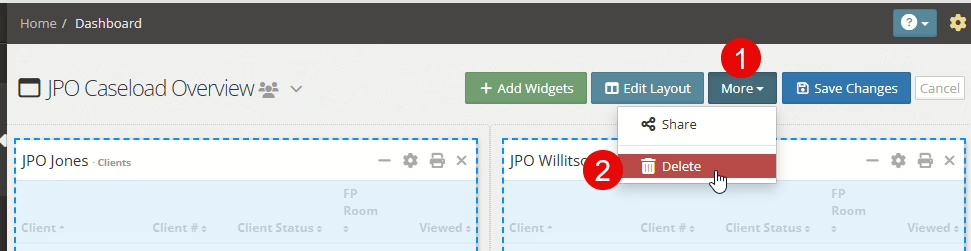
Note: Deleting shared dashboards will delete the dashboard for ALL users.