
Facility Rounds reporting is applicable to YouthCenter users who manage their own facility for detention or treatment. Creating a Facility Rounds Log report allows you to see the progress on Facility Rounds and To-Dos.
Creating the Facility Rounds Report #
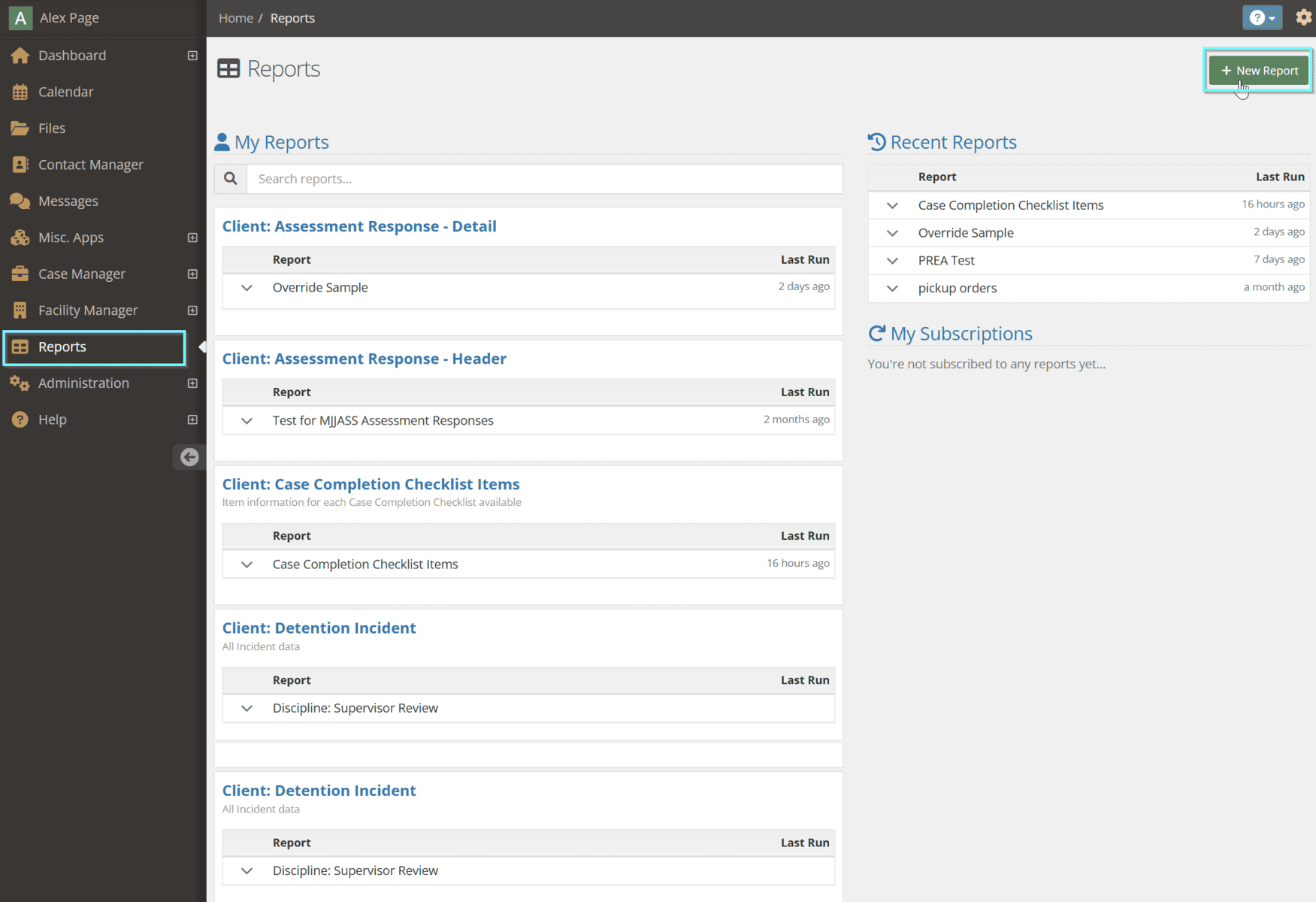
Navigate to the Reports application of YouthCenter and choose the green + New Report button:
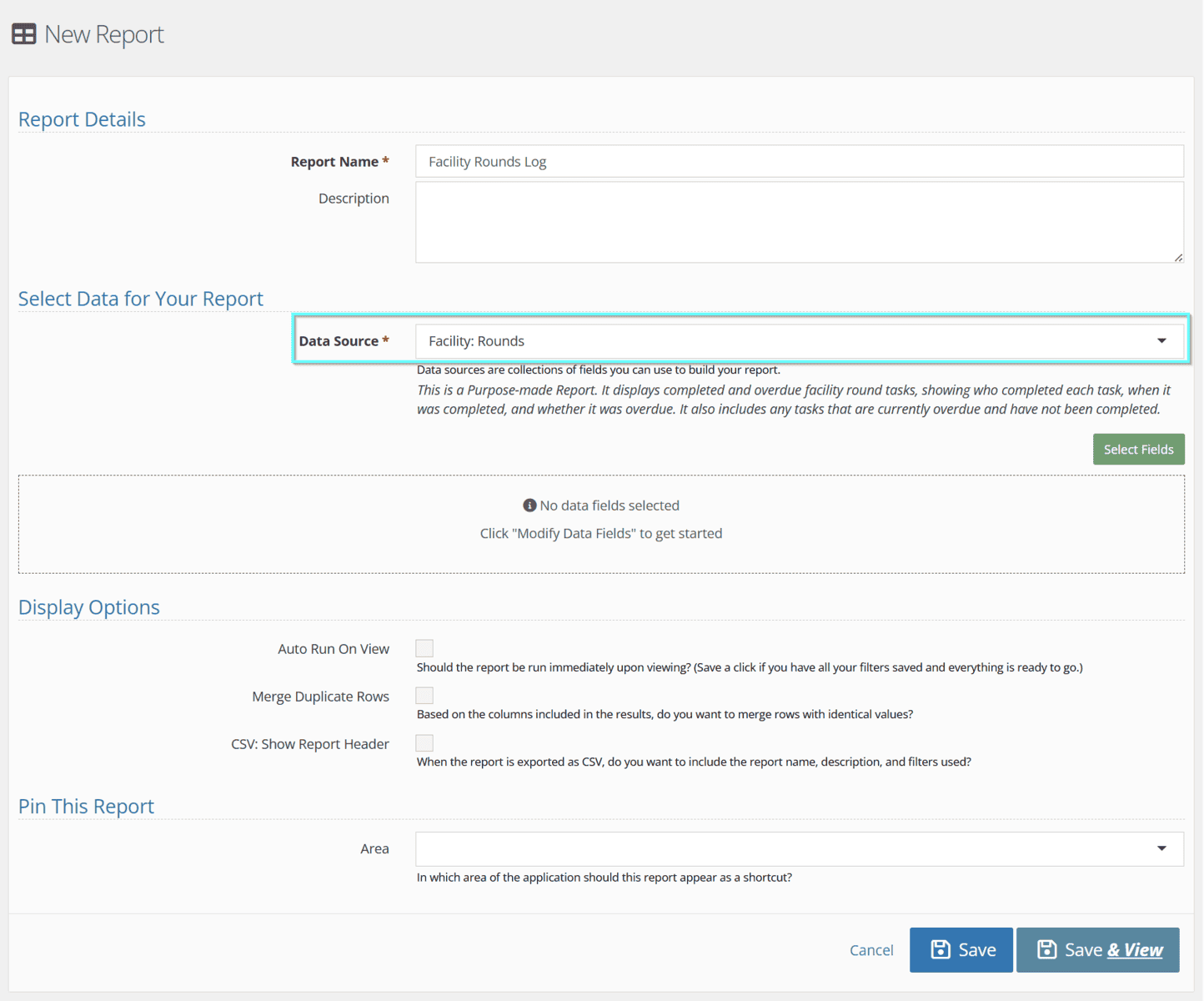
Fill in the report name and choose Facility: Rounds as the Data Source for this Report:
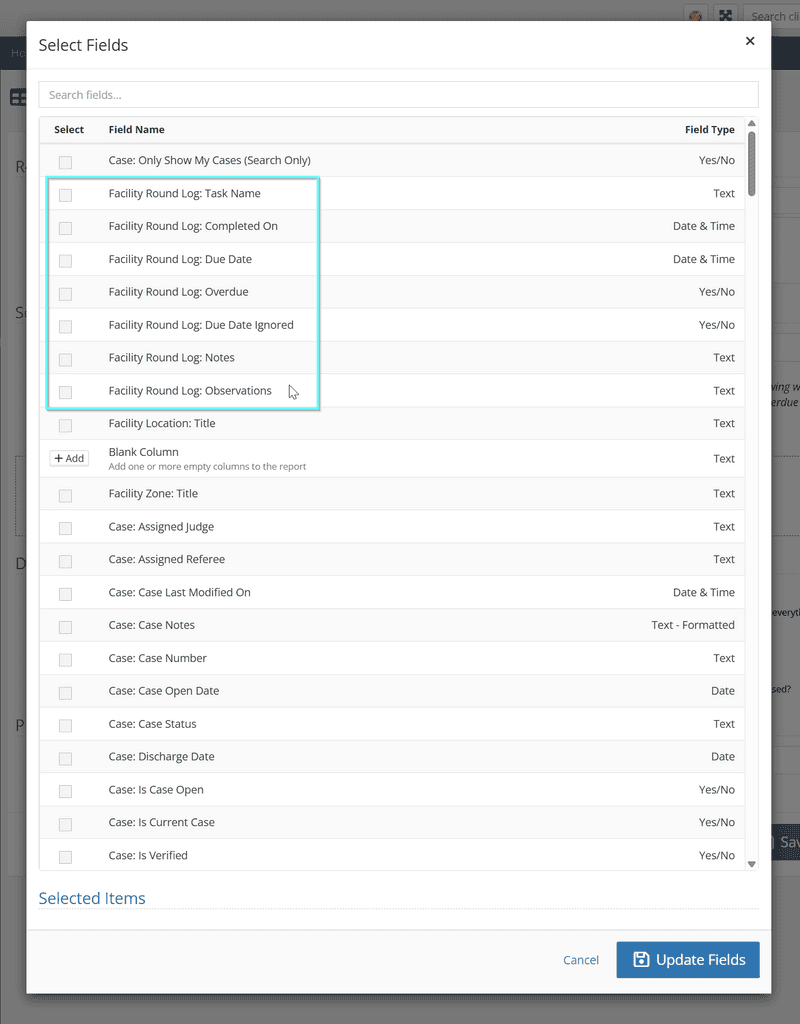
Add in the desired Data Fields using the green Select Fields button. You’ll notice several Data Fields that are built-in for this specific Data Source:
After you choose the fields and mark off any Search options, click Save & View:
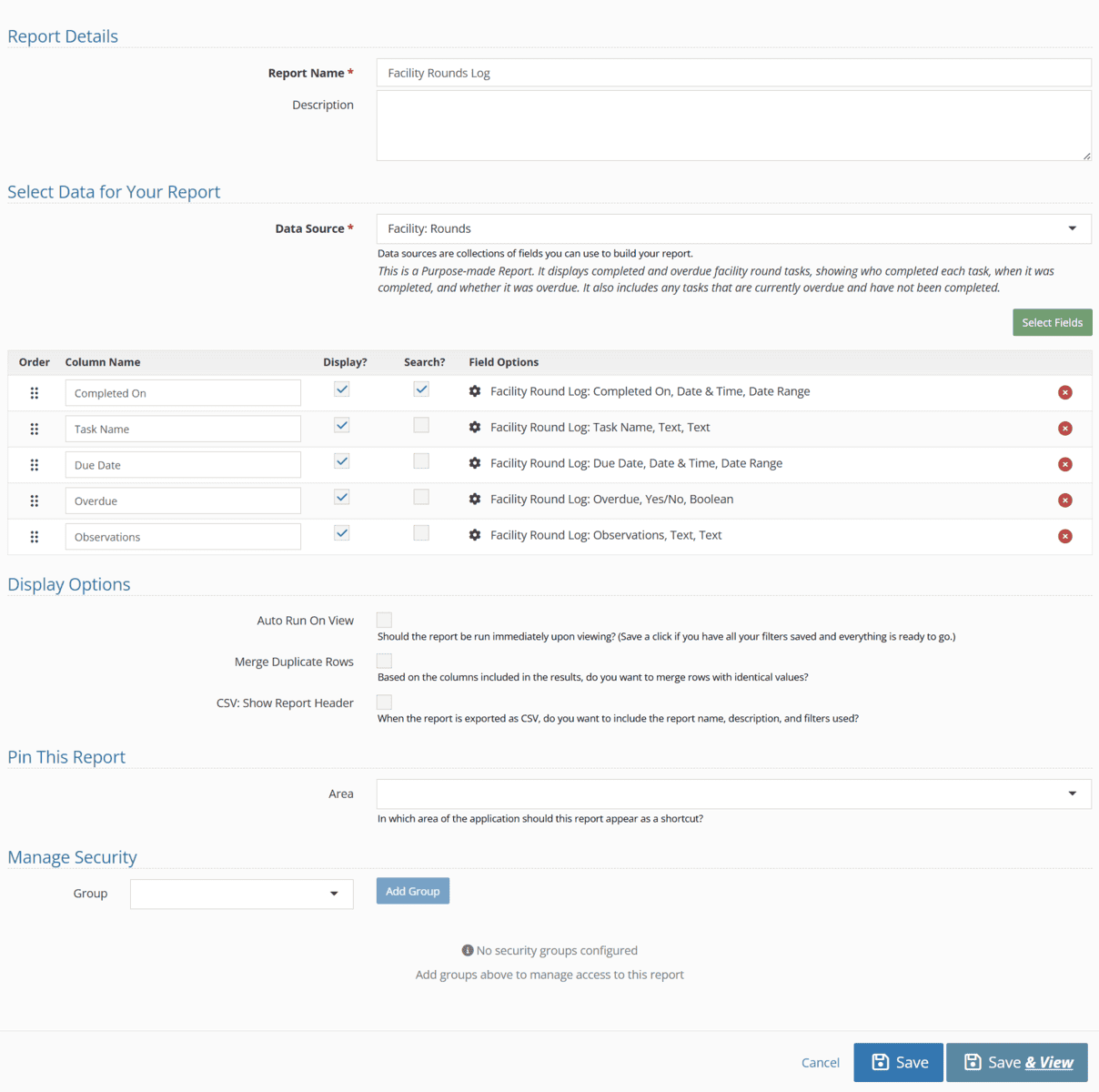
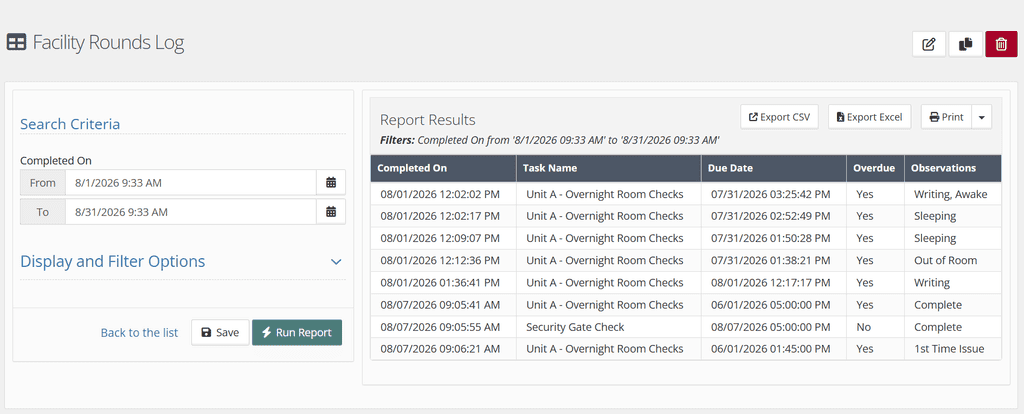
Here’s an example of a finished report that searches for To-Dos by completion date:
For more details on Reporting in general, view our Reports 2.0 article.