
Cross-site searching allows authorized users to search for clients across all YouthCenter databases within their designated search group, returning exact matches aggregated from every reachable site in the group.
YouthCenter Sites are not automatically included — they must be explicitly designated as part of a cross-site search group.
To be added to your appropriate group, reach out to [email protected]
Permission Set up #
To be able to use this search function, permissions must be added to the correct user groups.
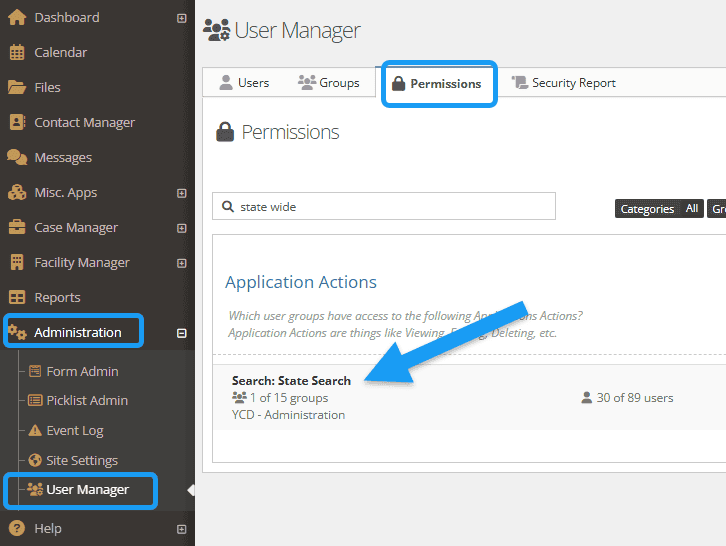
Select the “administration” tab followed by “user manager.”
Choose “permissions” and select “search: state search.”
Add in appropriate groups. For more information on permissions, explore additional documentation here.
Searching Statewide #
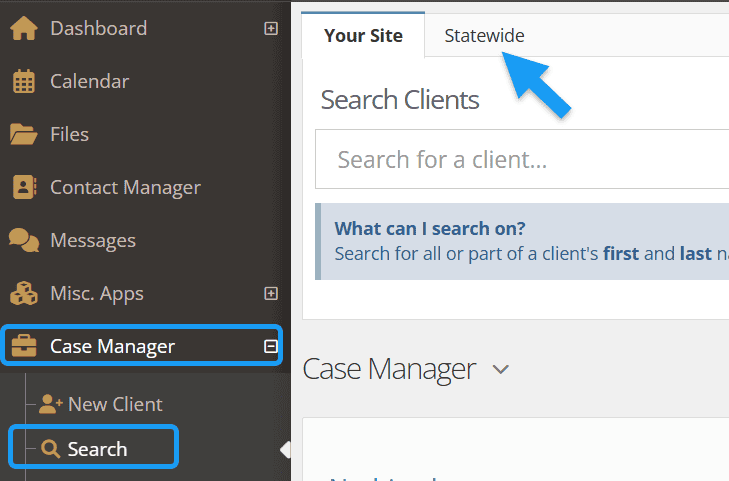
To use the state-wide search, select the “case manager” tab followed by “search.”
Select the “statewide” tab.
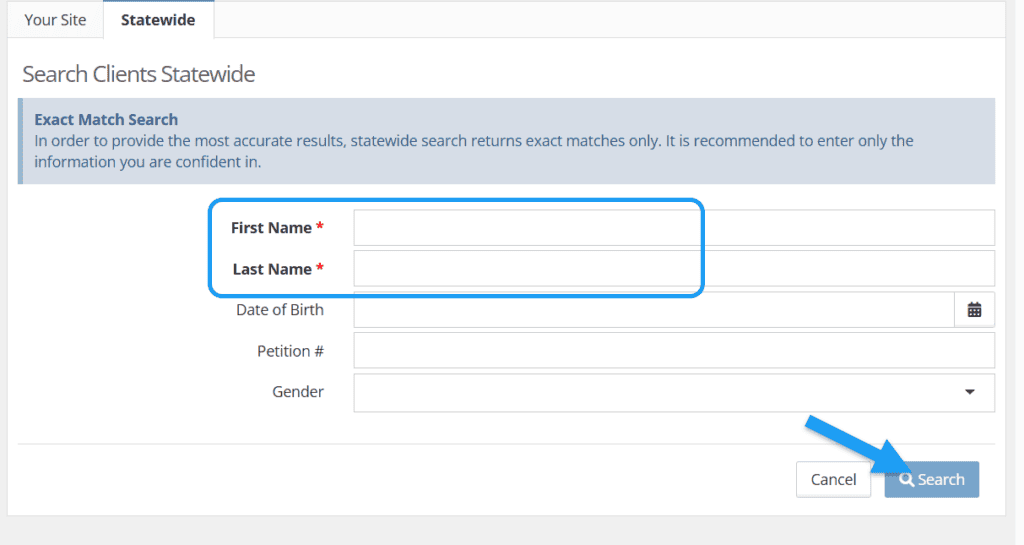
At a minimum, fill in the required fields that include:
- First Name
- Last Name
Optional fields include:
- Date of Birth
- Petition #
- Gender
Click “search.”
Results #
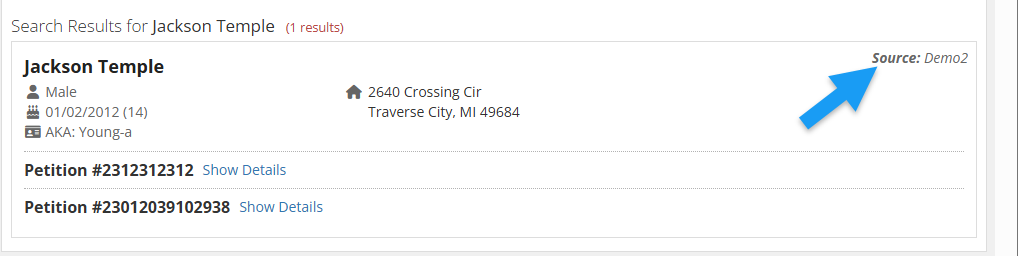
Only exact matches are returned (based on First Name, Last Name, and any optional fields provided)
All results are aggregated across all sites in the search group.
Each result will also indicate which site/facility the match came from.
Event Log for Searches #
For tracking purposes, information around searches is logged under the “Event log.”
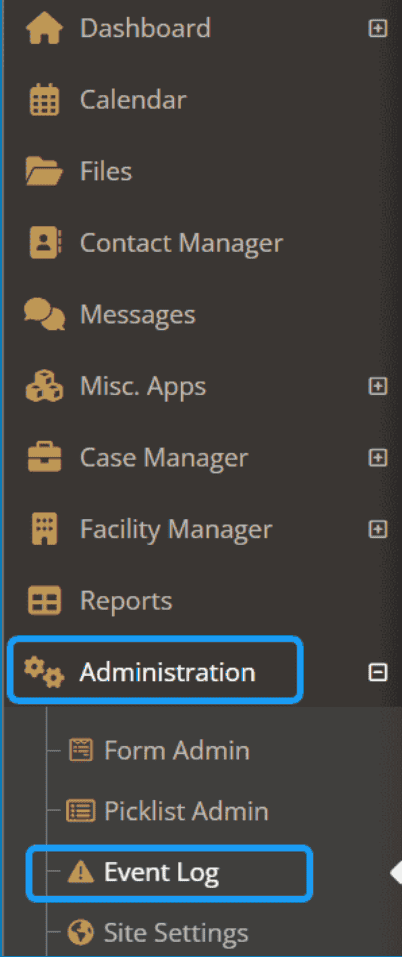
This information will include the:
- timestamp
- site searched from
- search parameters used