
To use the Sealed, Expunged, and User Restriction Permissions, a user must have the correct permissions.
These are broken down by four different permissions that include:
- Managing Data Confidentiality
- Viewing Sealed Youth
- Viewing Expunged Youth
- Restricting User Access
Note: These features are an additional add-on. If you do not see these permissions, please check your site settings to see if this feature is purchased and active for your site. If not, reach out to [email protected] to begin discussing turning on this feature for you.
Managing Data Confidentiality #
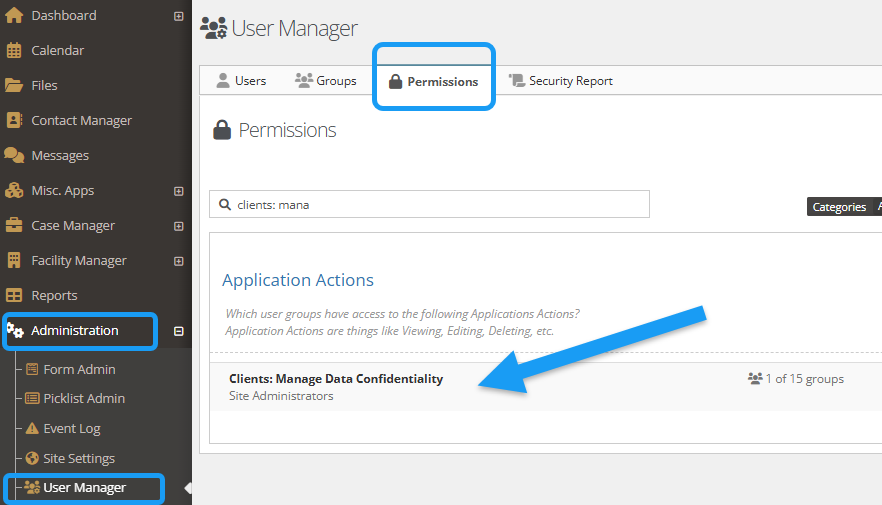
The permission of “Managing Data Confidentiality” is for user groups who can give viewing and restriction permissions.
To add a group to this permission, select the “Administration” tab, followed by “User Manager.”
Choose the “Permissions” tab.
Search and select “Clients: Manage Data Confidentiality.” Add any necessary groups.
For additional support on utilizing permissions, please review here.
Sealed and Expunged Permissions #
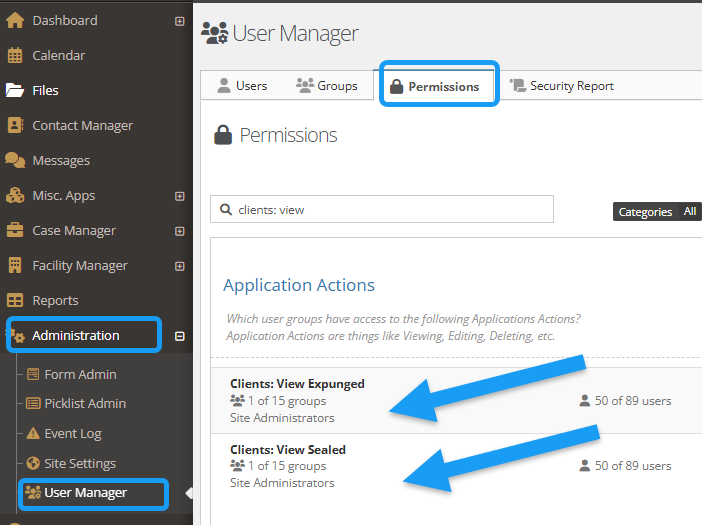
The permission of “Viewing Sealed Youth” or “Viewing Expunged Youth” is for user groups who need to see any sealed or expunged youth information.
To add a group to this permission, select the “Administration” tab, followed by “User Manager.”
Choose the “Permissions” tab.
Search and select “Clients: View Expunged” or “Clients: View Sealed.” Add any necessary groups.
Add/Edit/Remove user restrictions for an Individual client #
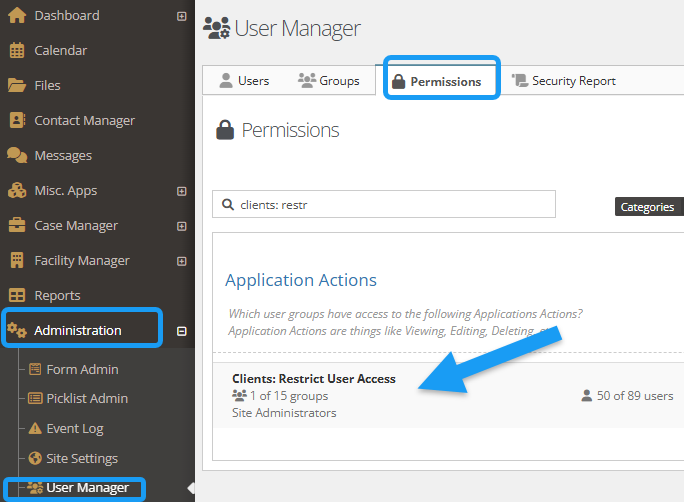
The permission of “Restricting User Access” is for user groups who can restrict individual user access to a specific youth.
To add a group to this permission, select the “Administration” tab, followed by “User Manager.”
Choose the “Permissions” tab.
Search and select “Clients: Restrict User Access.” Add any necessary groups.
Data Redacted for Unauthorized Users #
If a user lacks the necessary permissions or is unauthorized to view a youth’s information, the following details will be redacted:
- Portal Access
- Audit log
- Event log
- Client search
- Direct URL access
- Widgets & Dashboards
- Meal counts
- Movement
- Personal Possessions
- Incidents
- Calendars
- Contact manager
- Separation
- Client Search
- Report Columns