
Sometimes, a user may forget their password or need their email changed. As an administrator, you can change their account details.
Note: YouthCenter offers a self-service password reset feature. Instructions can be found here.
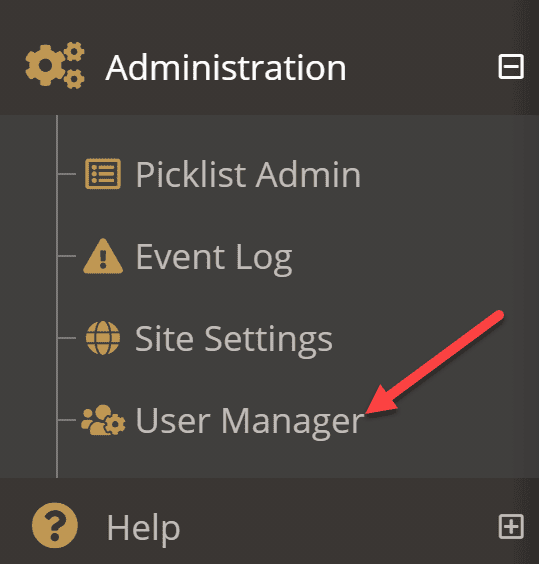
To change a user’s account details, expand Administration from the navigation menu and select User Manager.
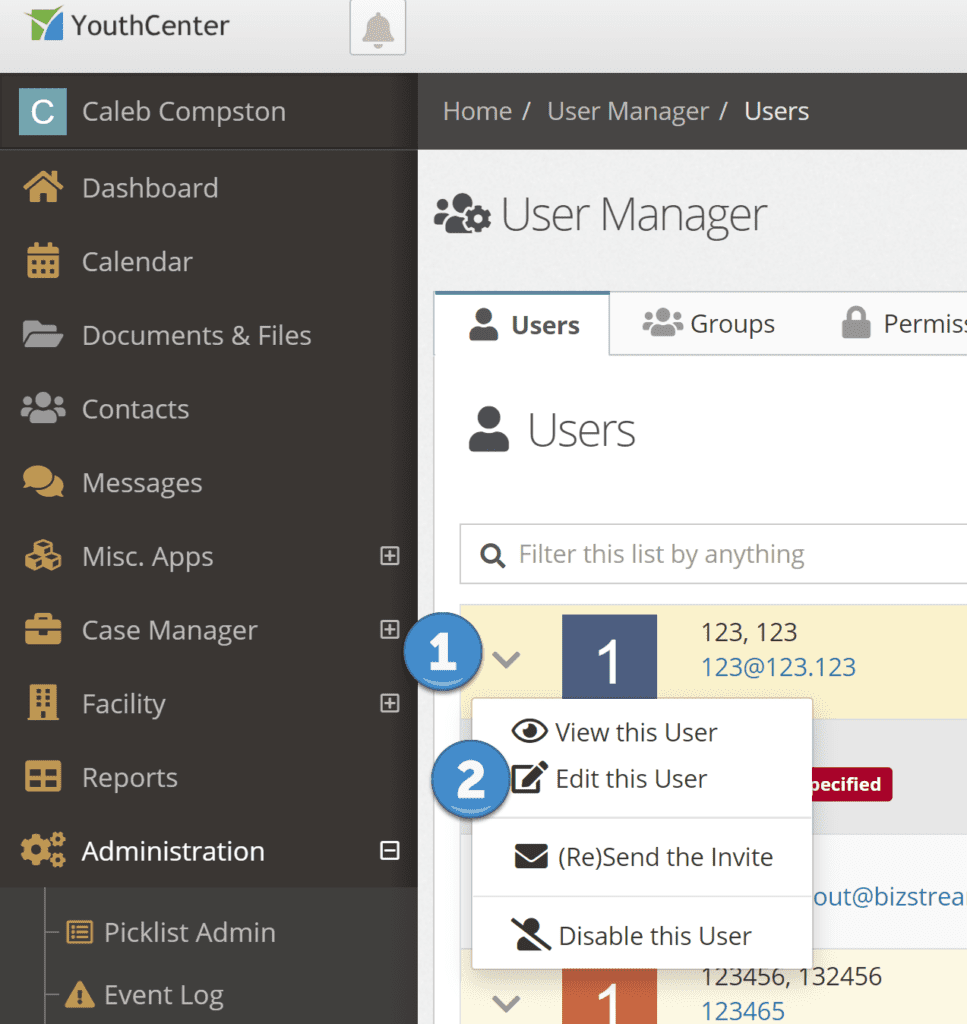
Select the down caret menu to the left of the user you wish to edit. (If you have many users, you can search for a user by first name, last name, email address, or username)
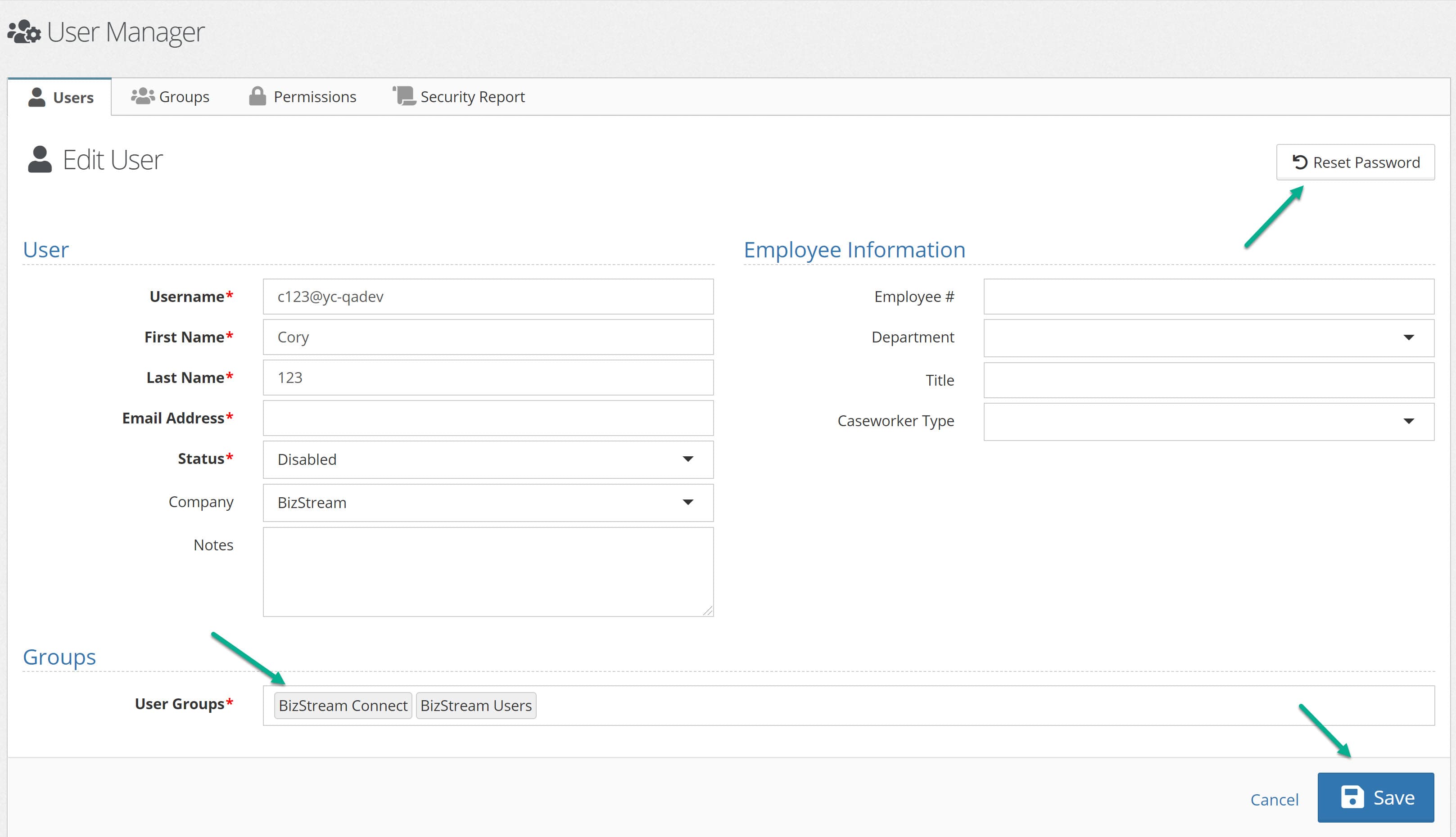
Reset the user’s password, change their email, groups, and other account details, and press Save
The user’s details should now be updated.